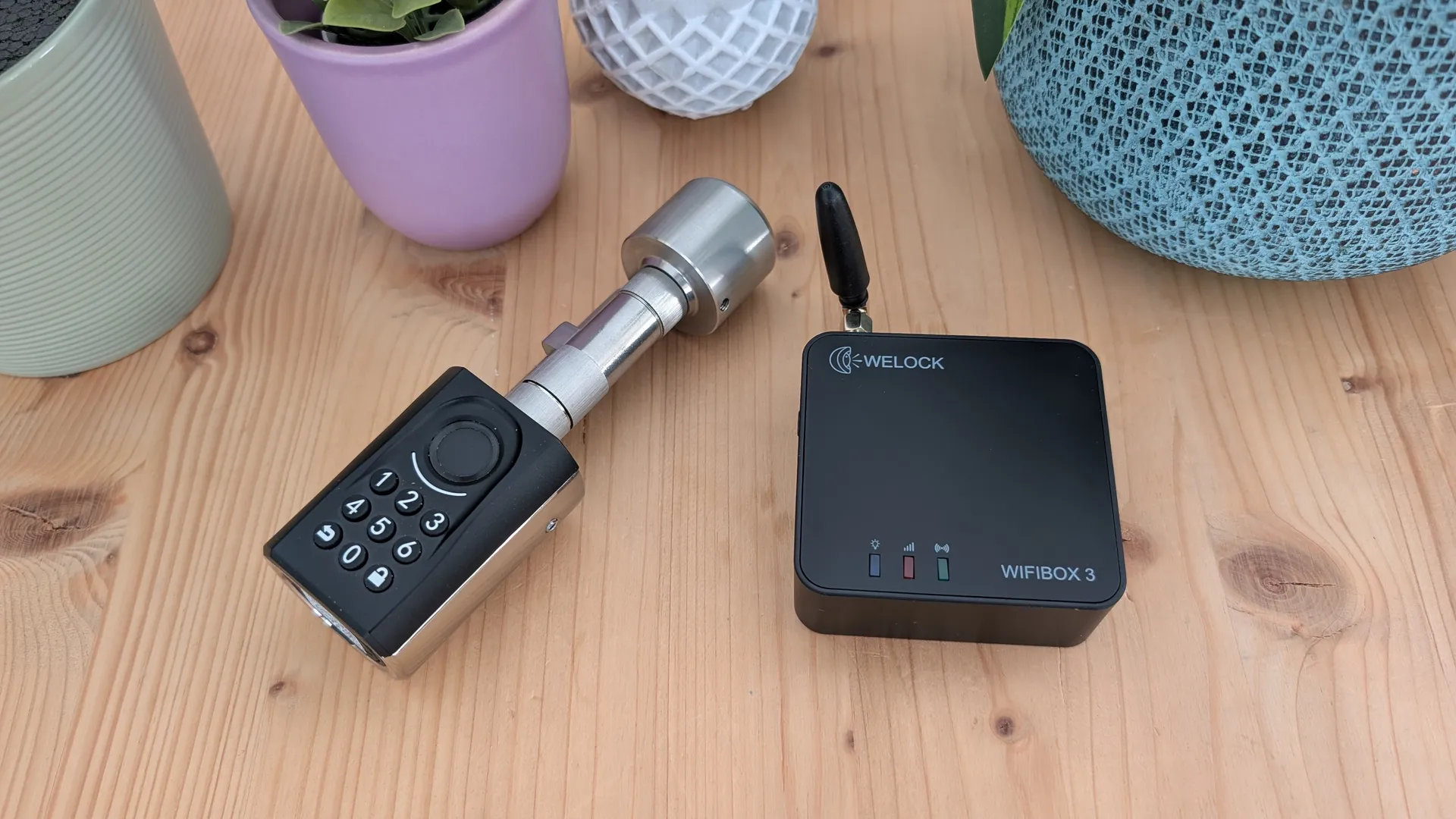
Today we are going to see in detail what the WELOCK ToucA51 pack and its complement WIFIBOX3 offer us in one of our reviews or analysis.
If home security and lock management can be one of our priorities, this product pack could be what we are looking for. The WELOCK ToucA51 electronic lock offers us a simple access management system, we can use it by password, RFID card, fingerprint reader or smartphone. All this with different user profiles and temporary access. With the WIFIBOX3 add-on it is also possible to manage opening remotely and control access to doors with the two opening detectors included in the package, linking it with our home automation environment and connecting it with Alexa.
Let’s see how this access and security system behaves and how it is installed on a door.
- WELOCK ToucA51 can be purchased for only 119 € with free shipping using the code VD50.
- WIFIBOX 3 is priced at €99 without the opening detectors.

WELOCK ToucA51 WIFIBOX3 Details
WELOCK ToucA51 Specifications
- Compatible EURO lock, door 30-70 mm
- Encrypted communication with AES
- Tampering alerts
- Anti-spy PIN protection
- App for control and access with BT
- People and temporary access management
- Fingerprint reader, numeric keypad and 3x RFID cards
- 3x AAA batteries that last 1 year with 10 openings per day
WIFIBOX3 Specifications
- Alexa remote control
- Remote unlock
- Wifi 2.4G BT
- Remote card management by QR, fingerprints and passwords
- 2x door opening detectors (Optional)
Description WELOCK ToucA51
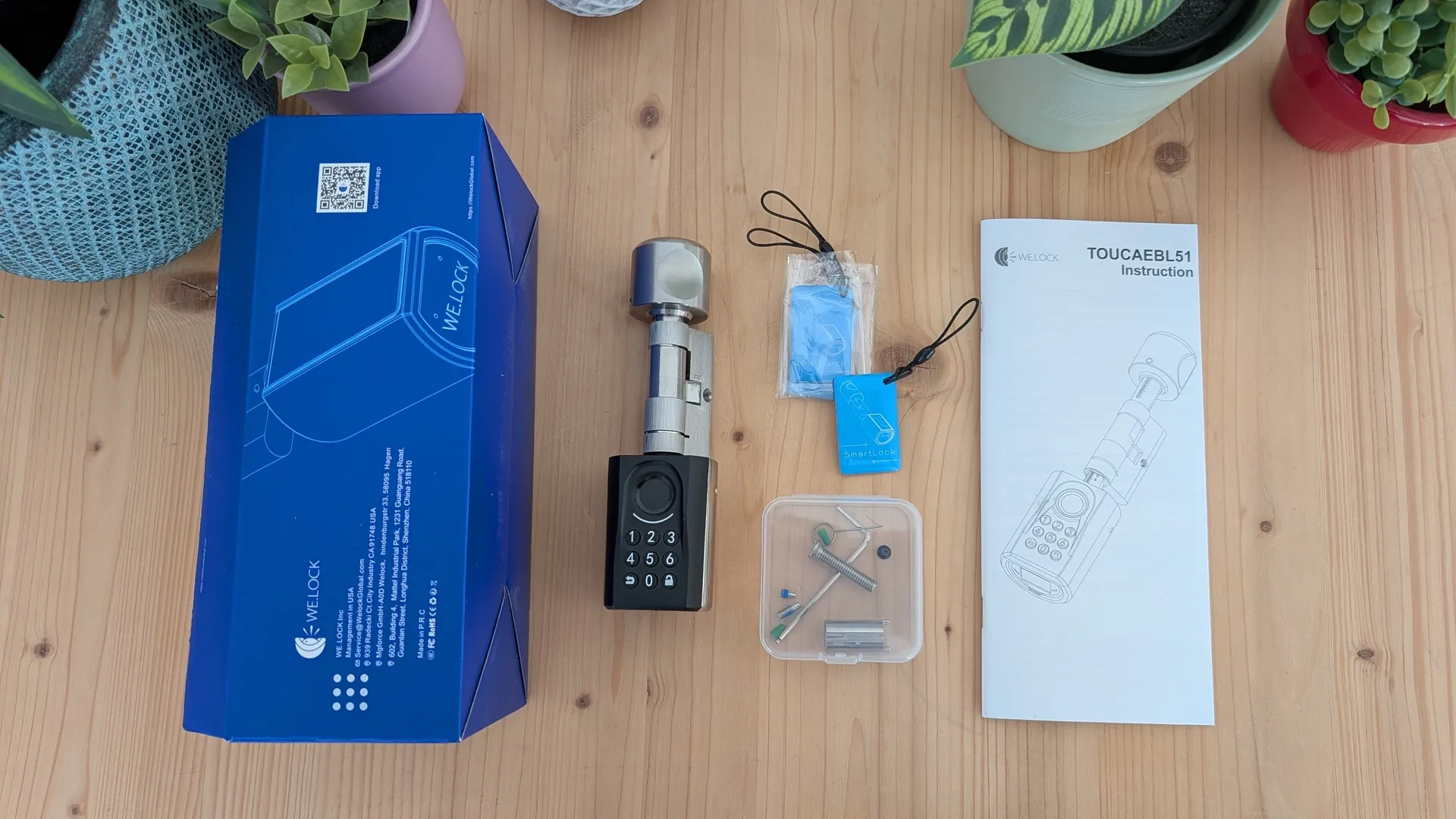
The WELOCK ToucA51 lock package arrives in a well-protected package with foams. Inside we find the electronic lock, hardware, manual and three programmable RFID cards.
Description WIFIBOX3
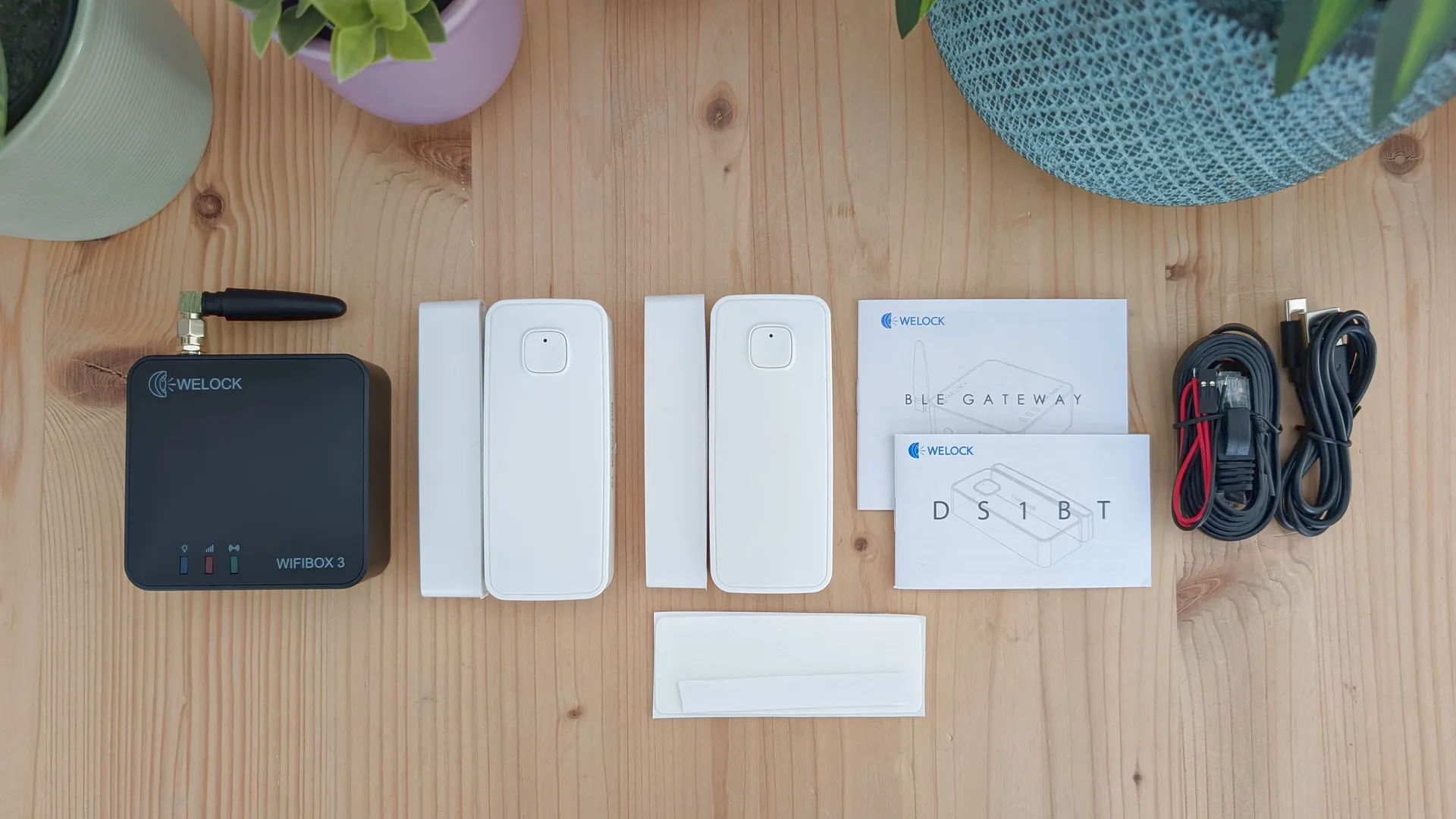
In the case of the WIFIBOX3 we have the small box with antenna, RJ cable, USB-C power cable, manual and two door opening detection systems in this pack.
WELOCK ToucA51 + WIFIBOX 3 installation
Installation and commissioning WELOCK ToucA51
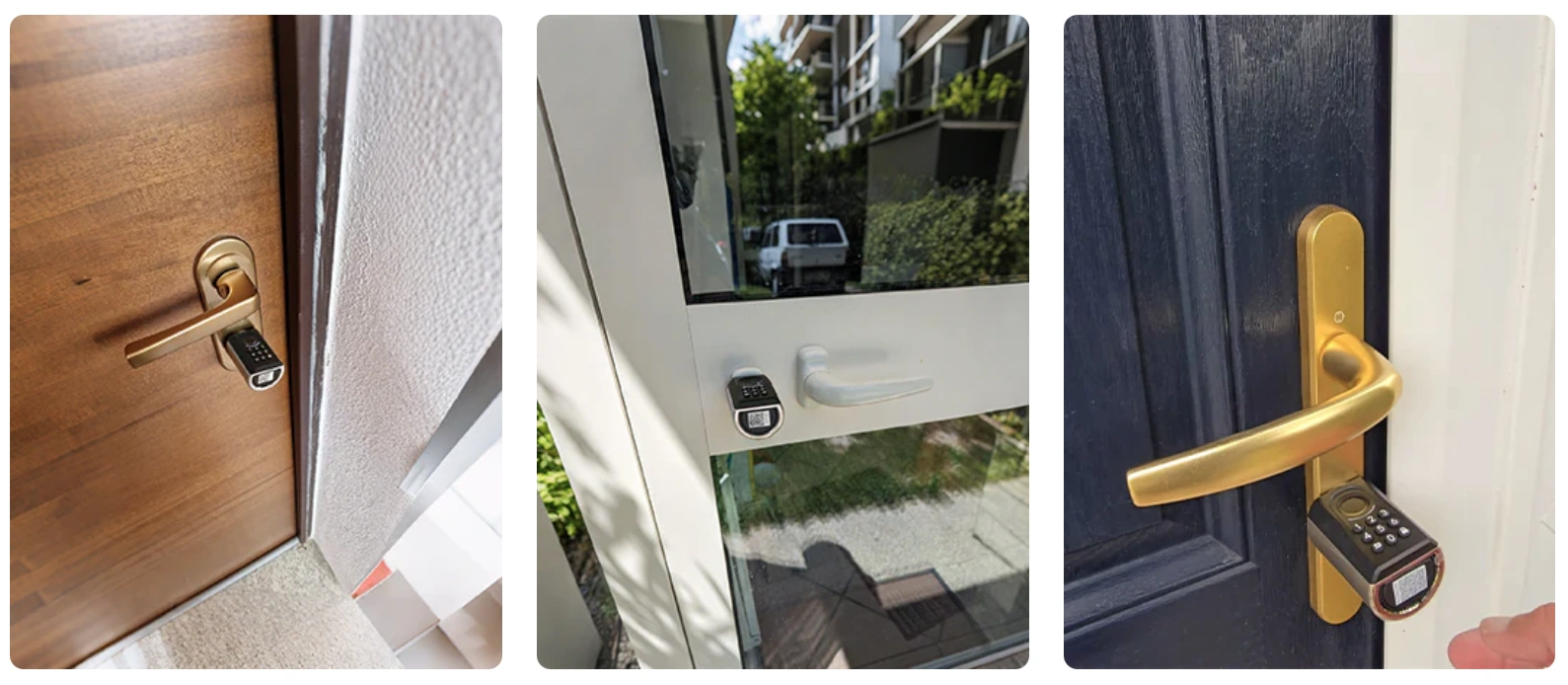
The WELOCK ToucA51 lock station is very simple, we only have to disassemble the current cylinder by removing the retaining screw and color the new one. Keep in mind that the maximum dimensions of the door are from 55 to 95 mm, we must also take into account the distance of the screw at each of the ends.
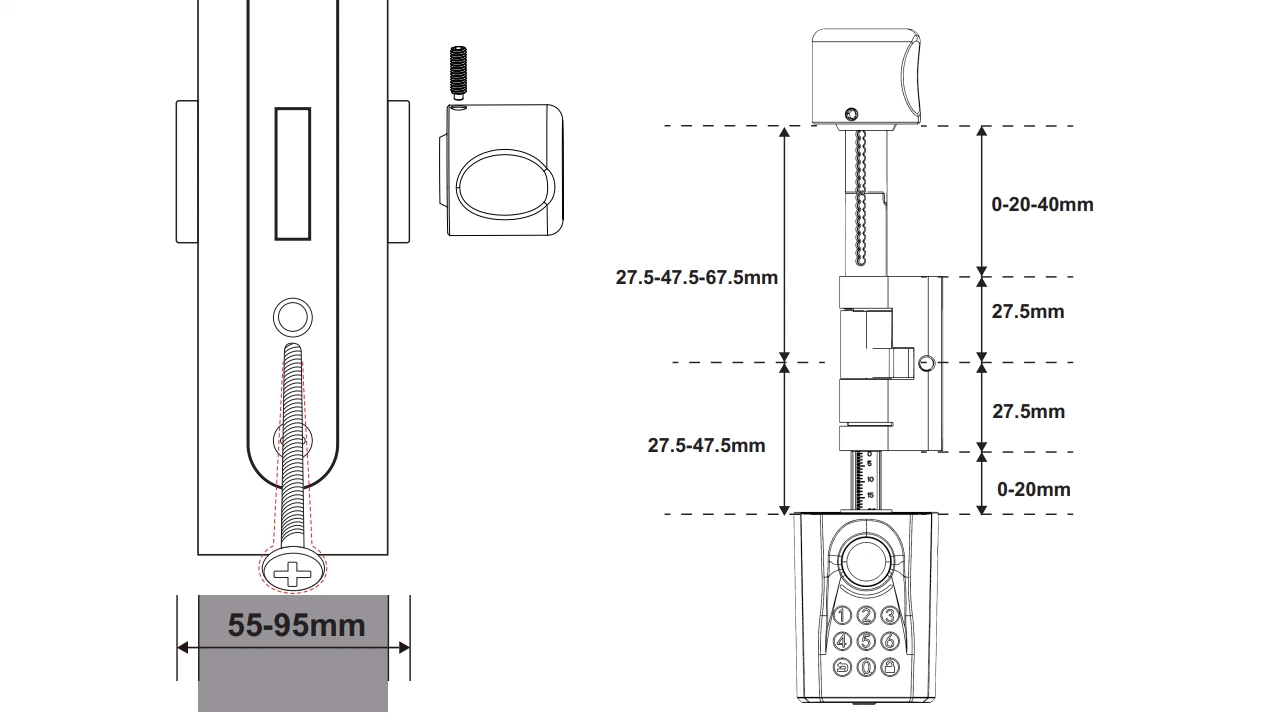
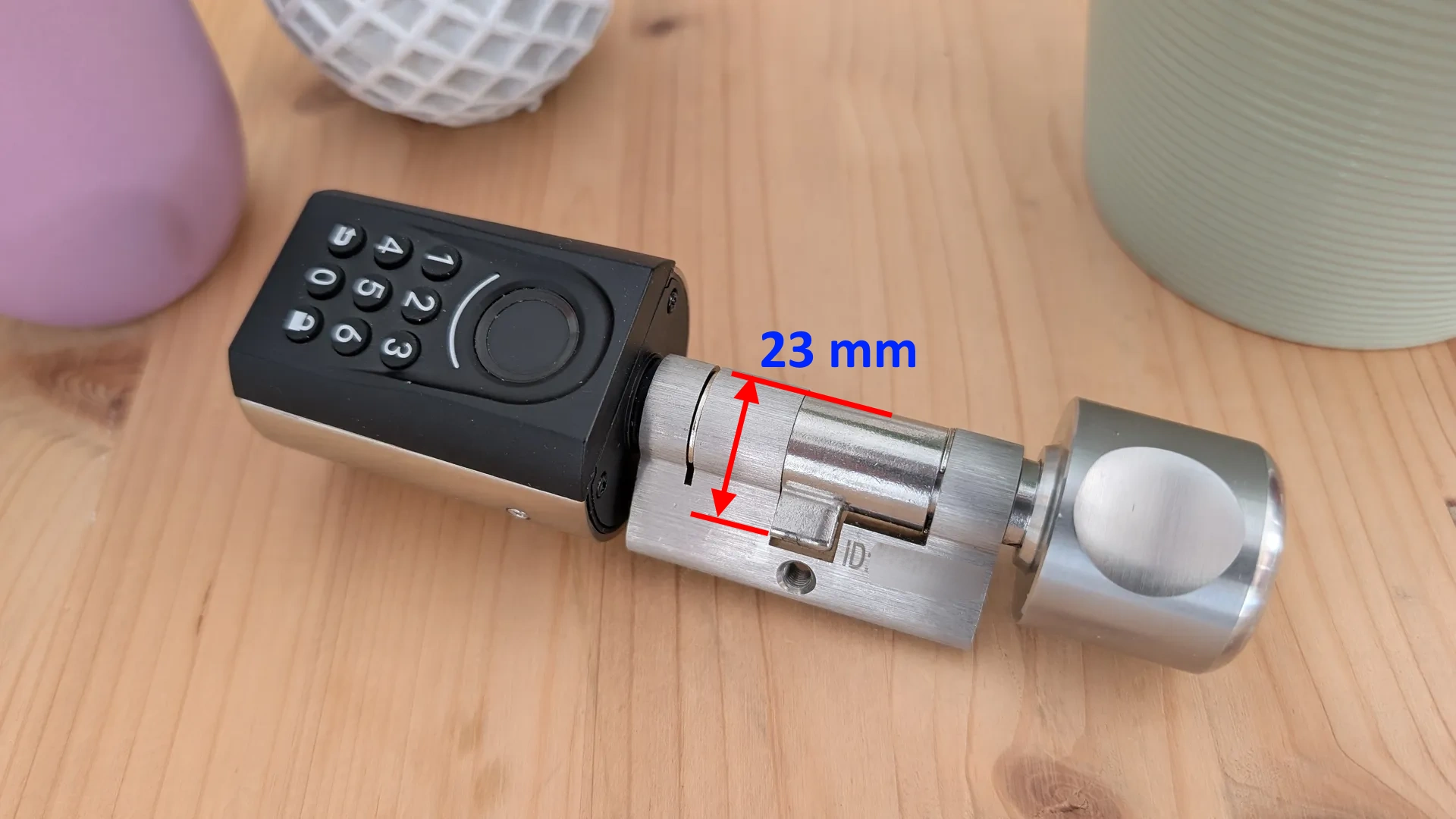
Another measure that we will have to take into account is that of the lock lever trigger, this must be 23 mm, check before. In very old locks like those of the TESA brand this lever only measures 21 mm and the new lever will hit with the lock preventing the opening.
The lock works with 3 AAA batteries, these have a duration of 1 year if we open the door about 10 times a day. In addition, before they run out we are warned to change them, we can also see the charge in the app.

This lock is compatible with the vast majority of current doors, if in doubt, please contact WELOK directly. Once the lock is mounted to put it in patch we only have to follow the manual, we will need to assign a new access pin and we will be able to configure it completely.
- We recommend downloading the WELOCK app to facilitate its management.
Connecting WELOCK WIFIBOX 3
Setting up the WIFIBOX3 is very simple, we just have to connect it to a 5V 2A USB adapter like those of any smartphone and put the USB-C cable. Then from the WELOCK app go to Side Menu > Device List > Icon > Gateway and follow the instructions. We will need to connect it via Ethernet or use a 2.4G Wifi network (not 5G network).
- When it is configured, the red wifi light will turn off and we will have green connection light.

Use of WELOCK ToucA51 + WIFIBOX 3
Management and access with WELOCK ToucA51
To access home with the WELOCK ToucA51 lock we have multiple options. We can use the keypad and enter a PIN, it has an anti-snooping system where we can put all the numbers we want and in the middle of the sequence put the correct pin.
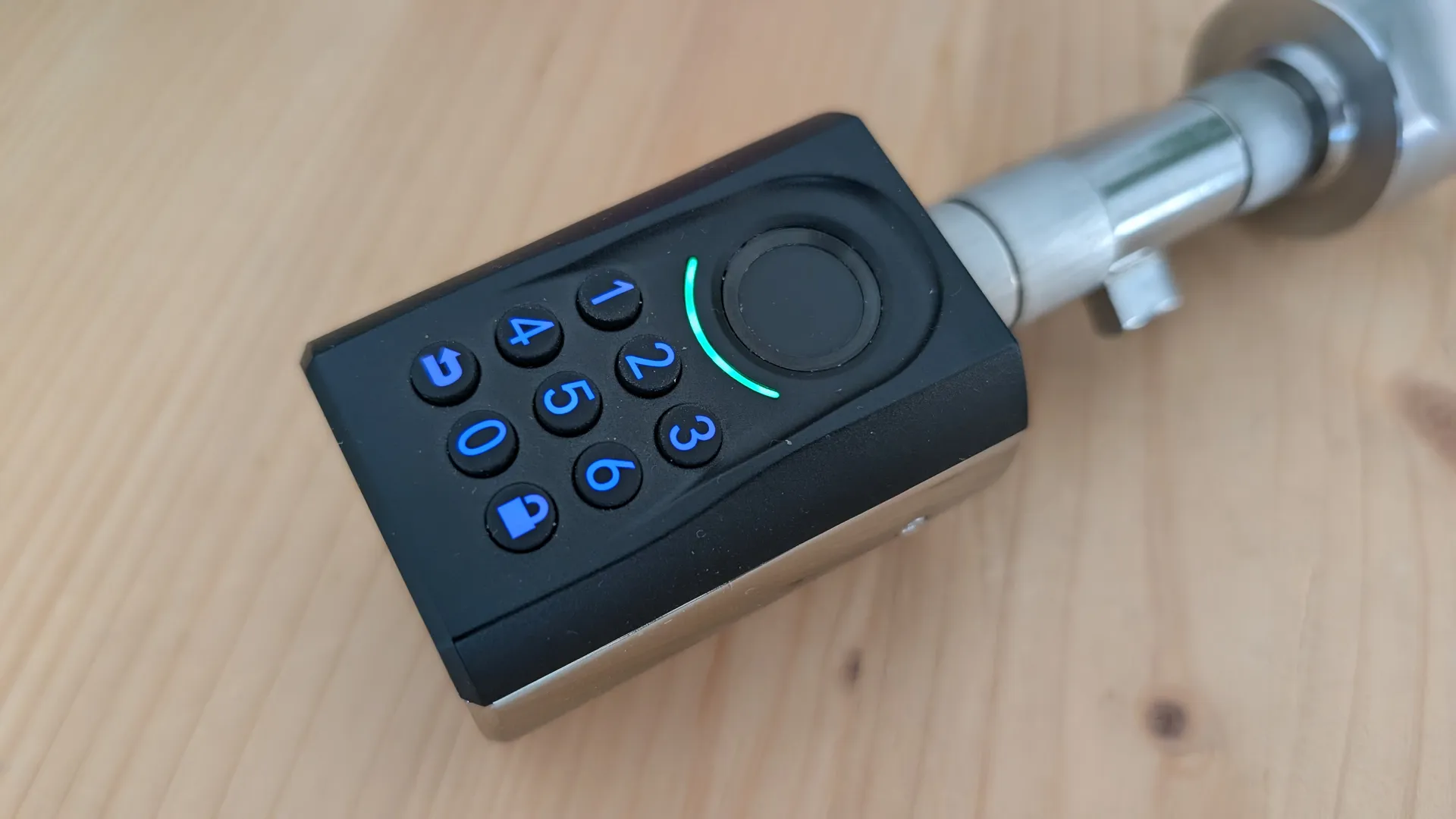
We can also add the fingerprints we want in the app and use this access method. The fingerprint reader will turn green waiting for our finger, if we introduce the wrong fingerprint it will change to red.
- Always press the padlock icon to activate the lock and be able to interact
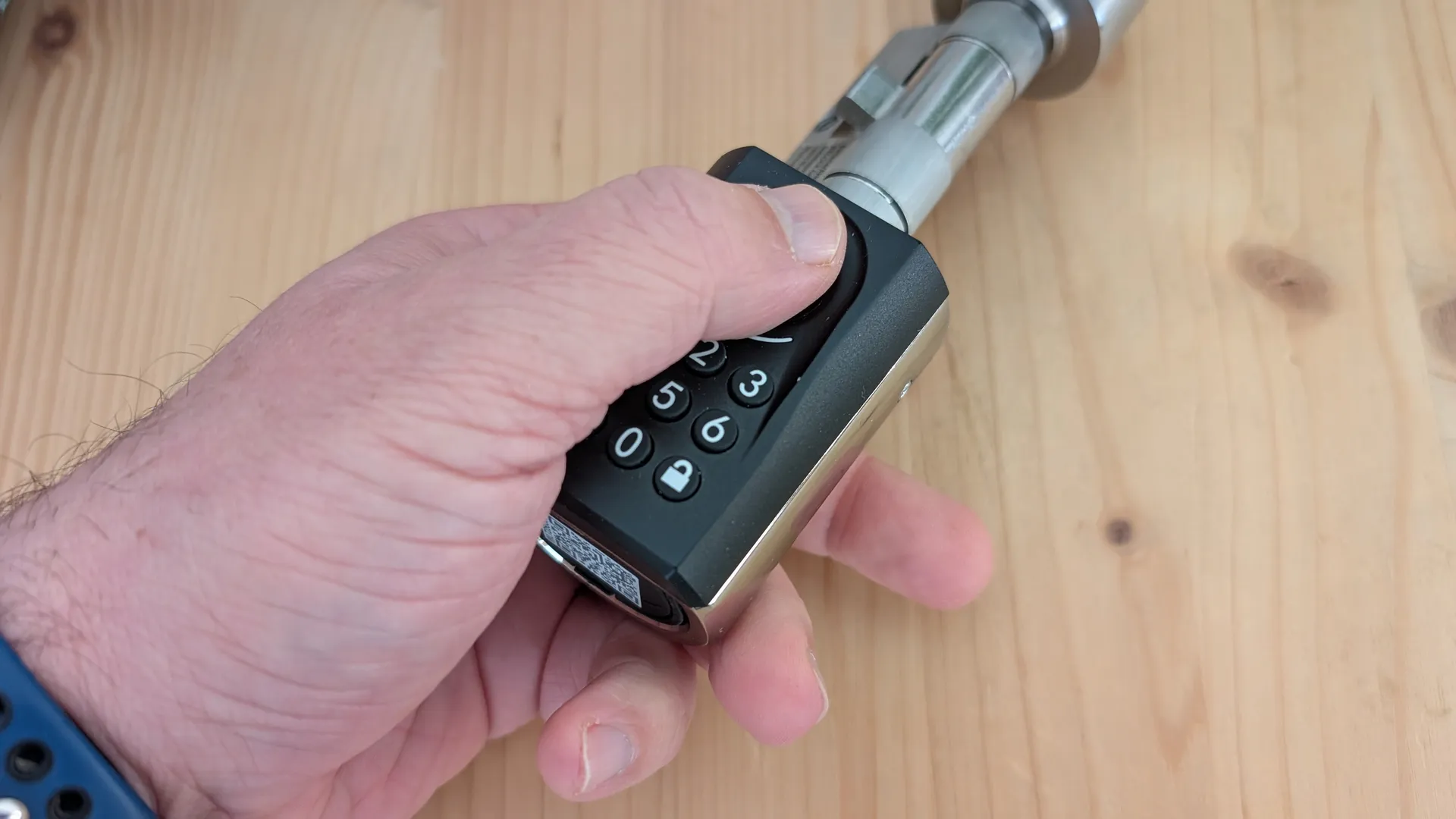
We can also use the RFID tags that we can program and assign to different users with deadlines, for example. We can also use our smartphone with Bluetooth and the app when we are near the lock to open it using the padlock icon.

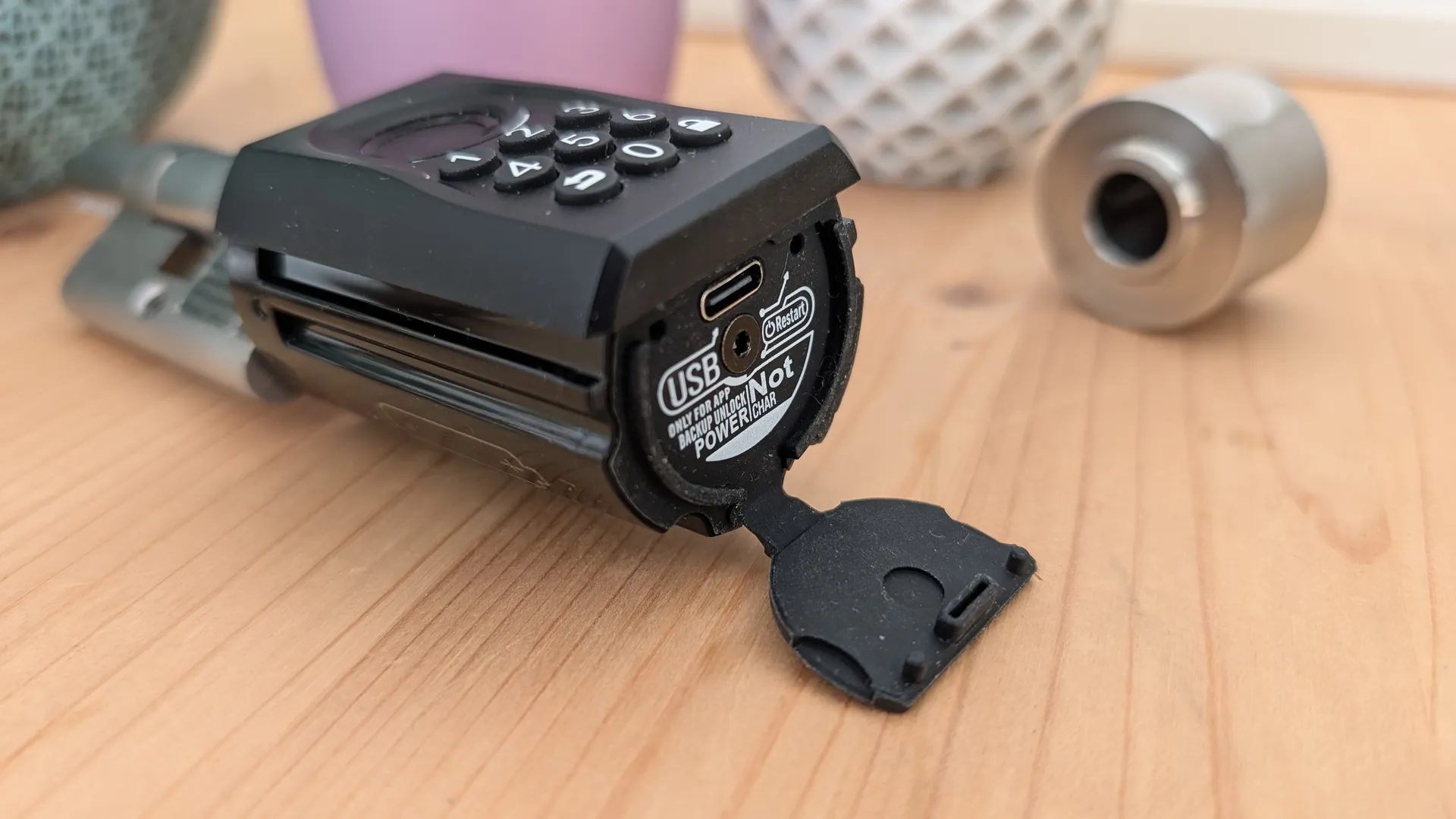
Finally, we can also use the smartphone as a key and connect a USB-C cable to use it as a key. In this same compartment we have physical reset to reboot the hardware, without resetting the PIN.
WELOCK management app
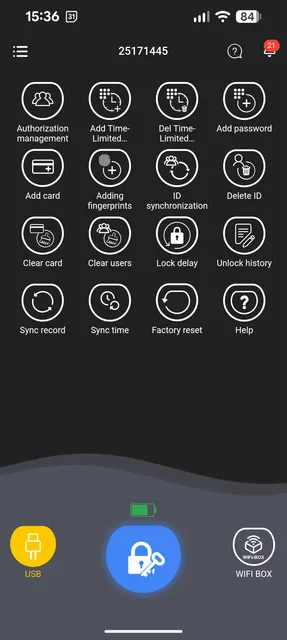
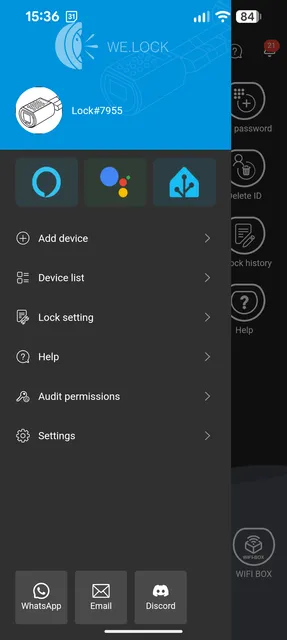
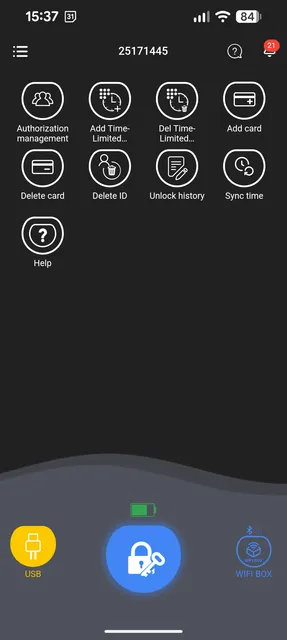
The WELOCK app offers a complete management of all devices such as lock, box and door sensors. Using WIFIBOX 3 we can also link them with the Alexa home automation manager. In the side menu we have the option to add devices and manage existing ones, among other options.
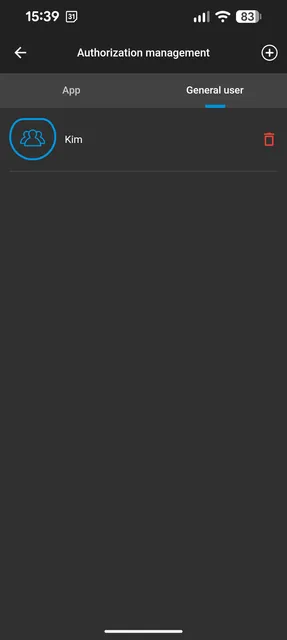
On the main screen as we see we have plenty of options, add users with limitations and meto two specific access or time limitations. Card and fingerprint management, direct opening and access to WEBOX.
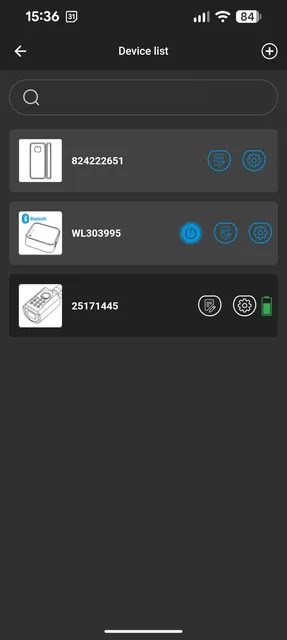
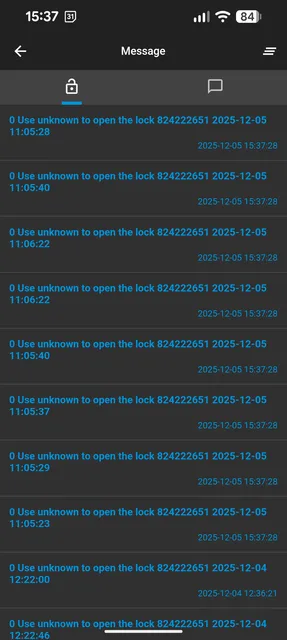
If we click on the WEBOX 3 icon this will be activated and we will see the specific options that we can control with that device without being at home, very comfortable and we want to give remote access. We also have an activity log in case we lose any notification of the app or want to consult them.
WELOCK ToucA51 + WIFIBOX 3 conclusions and purchase link
Review
As we can see, this WELOCK ToucA51 + WIFIBOX 3 pack offers a very convenient access management system. We have AES encryption security at bank level, something that can not be broken with brute force attacks. The stainless steel construction is very solid and it is of high quality, much better than some cheap brass cylinders. Thanks to its mounting system it is compatible with a wide range of EURO doors and locks.
This pack stands out for its complete management app, thanks to it we can introduce users with different levels of security or temporary control of use. Combining it with WIFIBOX 3 is perfect for guest accommodation giving remote access from anywhere. It is also very practical to use PIN codes, RFID cards, smartphone and fingerprints, so our children, for example, will not lose their keys.
As we see in general, we are before a solid electronic lock system with numerous options. If we need this type of access management, it is a good option.
Where to buy
- WELOCK ToucA51 can be purchased for only 119 € with free shipping using the code VD50.
- WIFIBOX 3 is priced at 99 € without opening detectors.